General Concepts
Files and File Versions
In PHIL File Versions are stored as independent immutable objects. Each File Version has associated a File Path (consisting of multiple folders and a file name), a Revision number and a creation timestamp.
Multiple File Versions with the same File Path represent the Version History of a File. By File we mostly denote most recent File Version at a File Path. Each File Version is assigned a unique Revision number, starting with 1 for the timely first File Version at that File Path.
For more details how to access Files, File Versions and File Properties see File Explorer and File Properties.
Actions
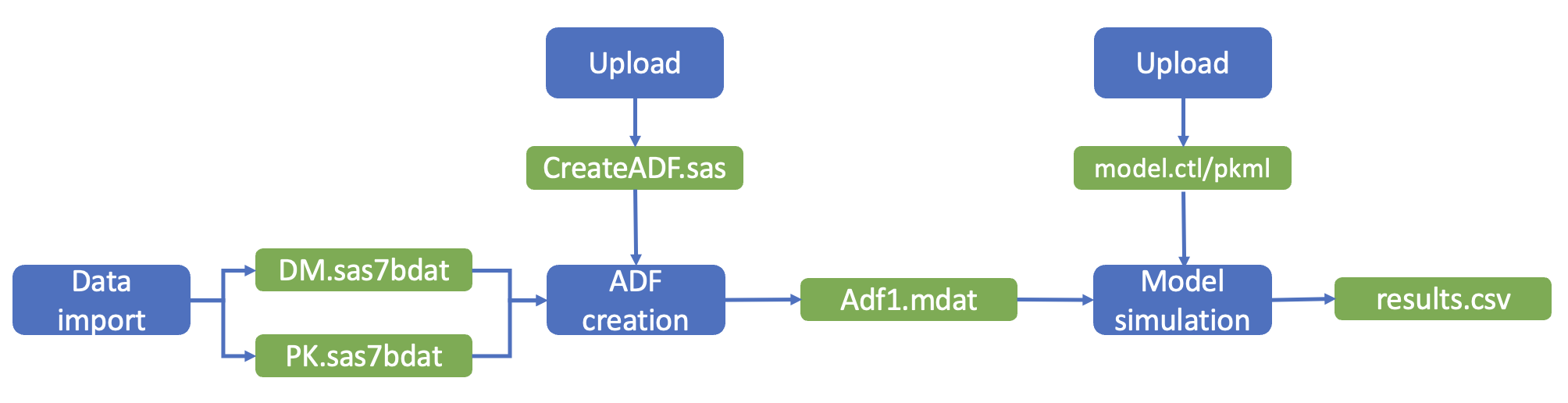
Action is a generic term for everything you do to create a File - more precise : a File Version! - in the PHIL file repository. So you can think of an Action as a workflow step.
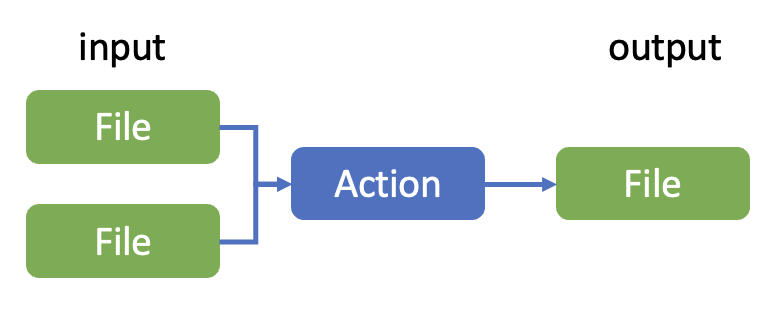
Each Action has one or more Output Files in PHIL, mostly Actions also have Input Files in PHIL (with exception of import or upload - which also have files as input, but outside from PHIL repository). Only the Action for download has no Output File in PHIL. For more details see Actions
There exist two more Action-File-Relationships than "Input Files" and "Output Files":
- One special type of input for an action is the Script File, which represents the base file executed, e.g. an R script or model file.
- Describing Files are linked to actions like outputs, but are not considered in Quality Control. Examples are log files or some written documentation about the action.
From the complementary perspective each File (Version) has exactly one Creating Action, which had created that file (version).
In contrast each file can be used by multiple actions, it can have multiple Consuming Actions. (see File Properties)
So workflows in PHIL can be seen as chains - or more complex graphs - of alternating Actions and Files (File Versions!). Traceability is the ability to navigate along these workflows. (for details, see Navigation through data flow and Traceability Report)
Action Categories
There exist three categories of actions, each containing multiple Action Types:
Internal Actions represent validated PHIL functions.
Examples: RENAME, COPY, HIDE, MOVE, RESTORE, ARCHIVE, UNCOMPRESS, DOWNLOAD
Production Actions represent just one work step, producing Output Files in PHIL from Input Files in PHIL based on a user written script or model (stored as Script File).
Examples: ADF_CREATION, MODEL_EXECUTION, PLOT_CREATION, REPORT_CREATION,OTHER_ACTION
Import Actions import files from outside into the PHIL repository.
Examples: UPLOAD, SWAN_IMPORT, MODSPACE_IMPORT, SPECTRUM_IMPORT
Activities
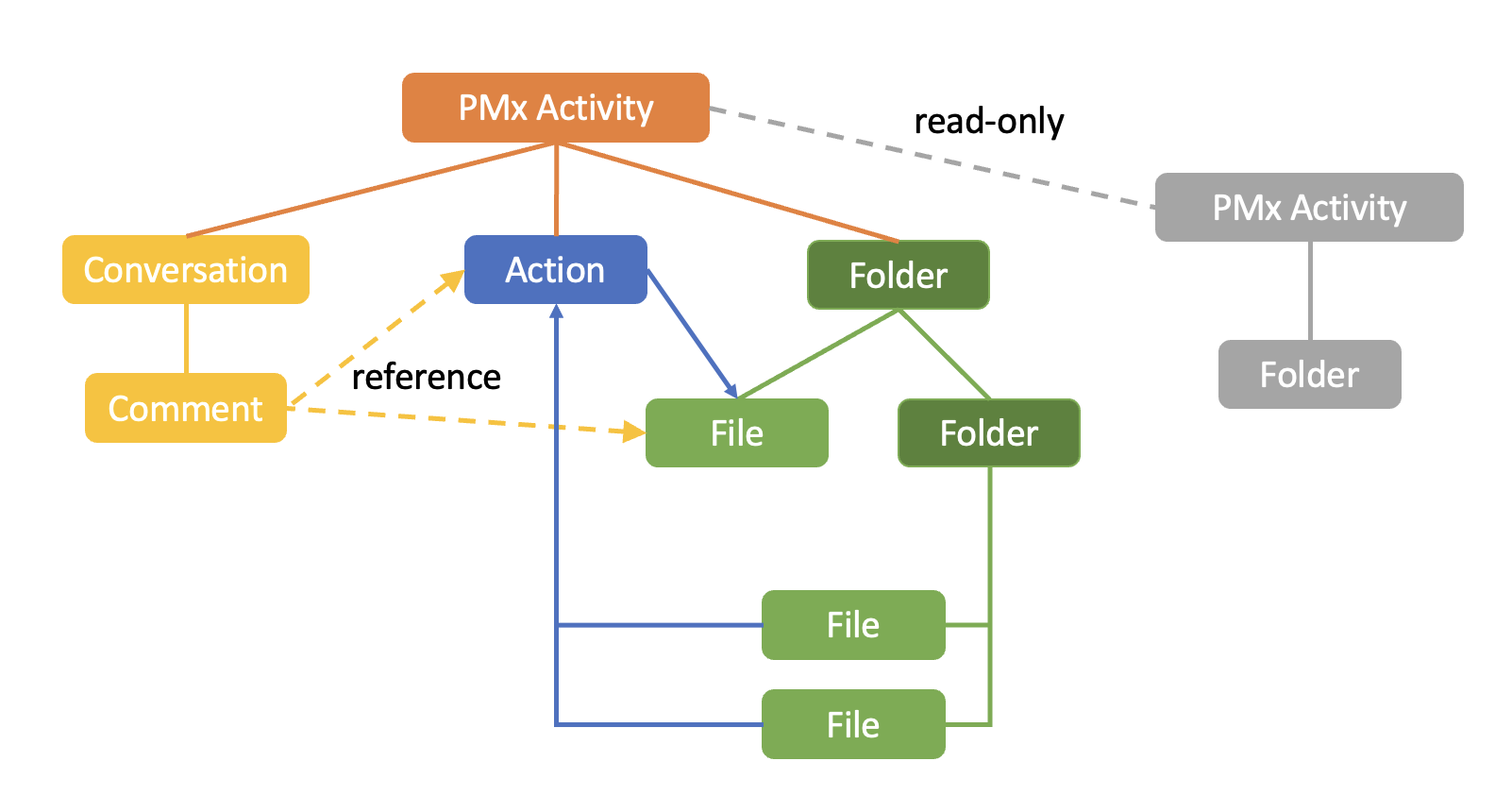
Work in PHIL is organized in Activities.
Each Activity has one main File Repository for the storage of files.
Other Activities can be linked as read-only Activities to allow read-access to their File Repositories.
Access rights are managed on the level of Activities and you have to select an Activity first when working in PHIL. All your subsequent Actions then are linked to that Activity.
For more information see Activities.
Activities organize:
- Files (see File Explorer)
- Actions
- Conversations
Conversations
For Activity specific communication PHIL provides some kind of chats called Conversations. Each Conversation consists of multiple Comments.
A Comment can reference Files and Actions in PHIL - then the Comment is also visible at the respective File or Action. You can also mention users in a comment to send them a notification with a reference to your comment.
So comments are in particular useful for File related communication e.g. in unblinded activities, because they are access protected like the whole Activity and help to avoid blinding breaches.
For more information see Conversations.