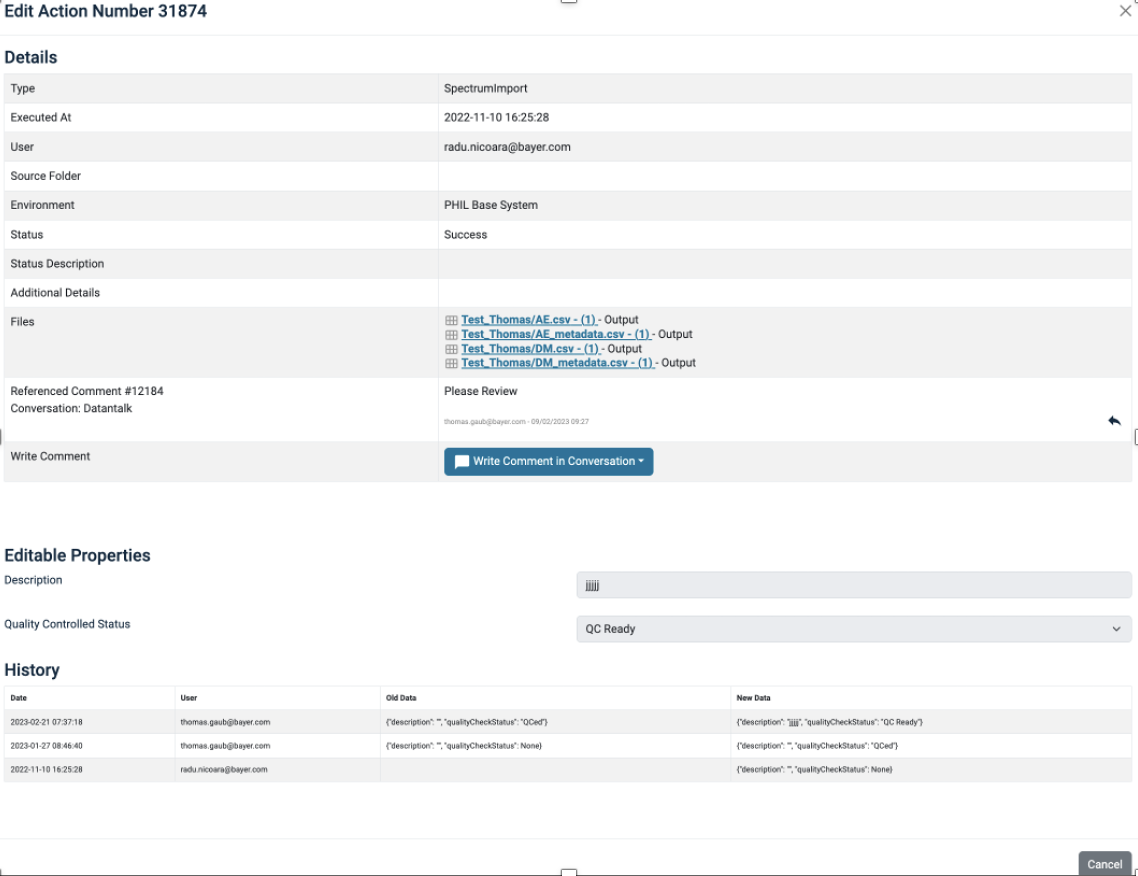
Action Dialog
The Action Dialog describes all info available about the Creating Action that produced a file as an output.
To inspect details about the Creating action of a file, click on Creating Action in the context menu of a file.
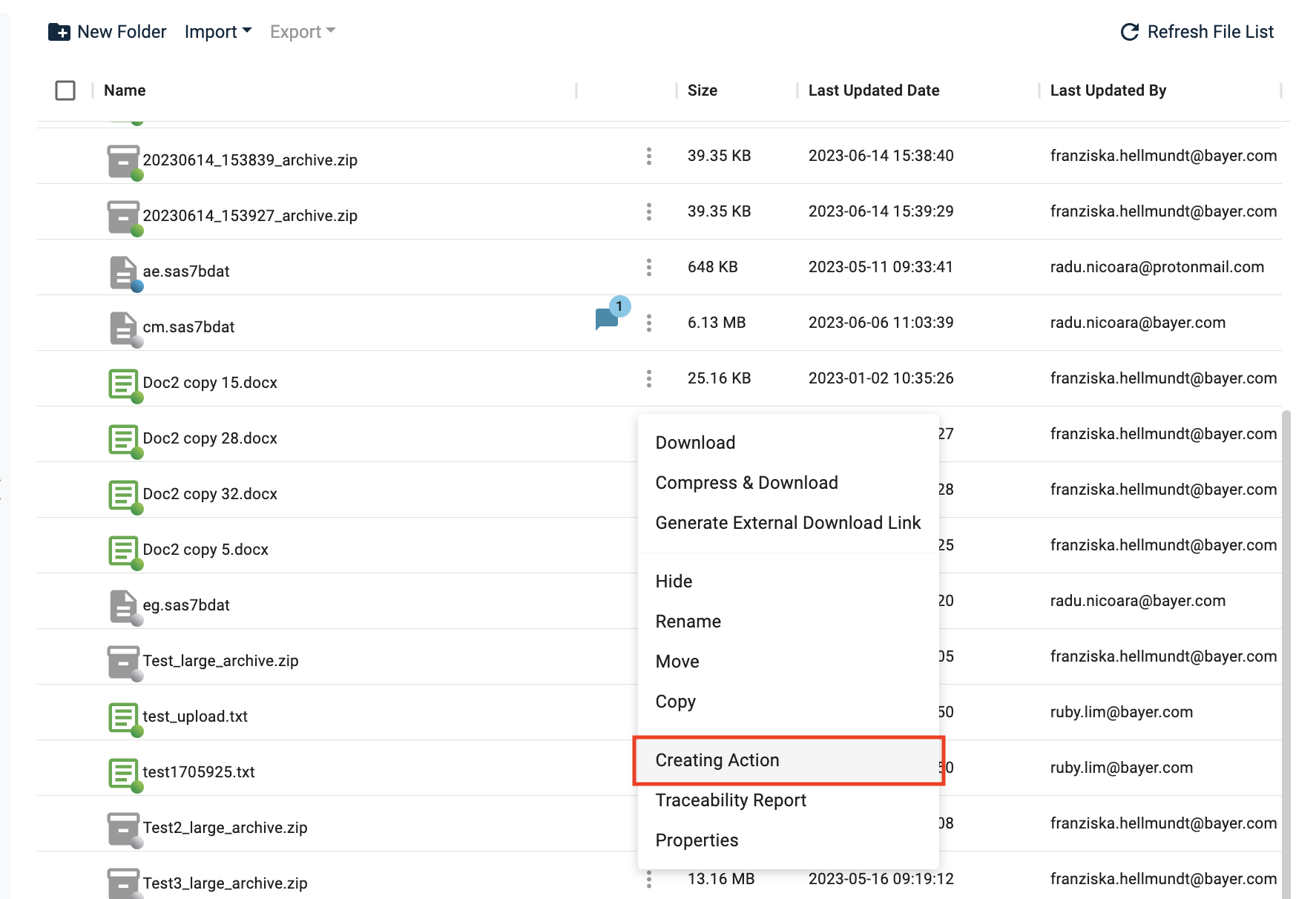
Details that can be found here include:
- Type – type of Action
- User – who conducted the Action
- Files – list of all the files which were part of the action, labeled as Script, Input, Output or Describing
- Write Comment – directly add a comment to an existing conversation, incl. direct referencing of the Action in the comment
Additionally, you can edit the Quality Controlled Status in this view (for details see Quality Management). You need to select the new status and add a description with the details about the change.
'Quality Controlled Status' changes can be tracked via the History at the bottom.