Export of files
There are two ways to get data from PHIL to other systems. The options you can select in the top bar of the file explorer.
For file transfer to the interactive environment, see Data Transfer.
Download files
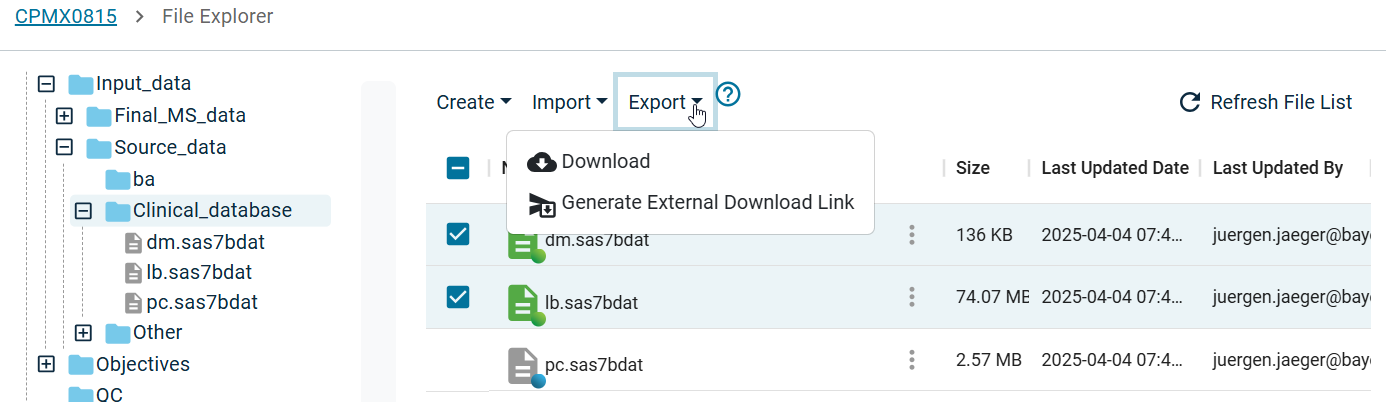
You can Download files from PHIL to your local machine following these steps:
- Navigate to the relevant folder
- Select one or multiple files by clicking on the checkboxes next to them (appear by hovering over them)
- Select the menu item
DownloadunderExportor in the context menu next to the files (Tree dots) - Depending on your browser settings the files are downloaded to a specific Downloads folder or some Save-File-Dialog opens.
If your browser does not download any files, check if you need to allow PHIL specific pop-ups.
In case of large or many text files it may reduce the download time if you compress files or folders (see context menu) and then download the .zip file.
External Link for Downloading
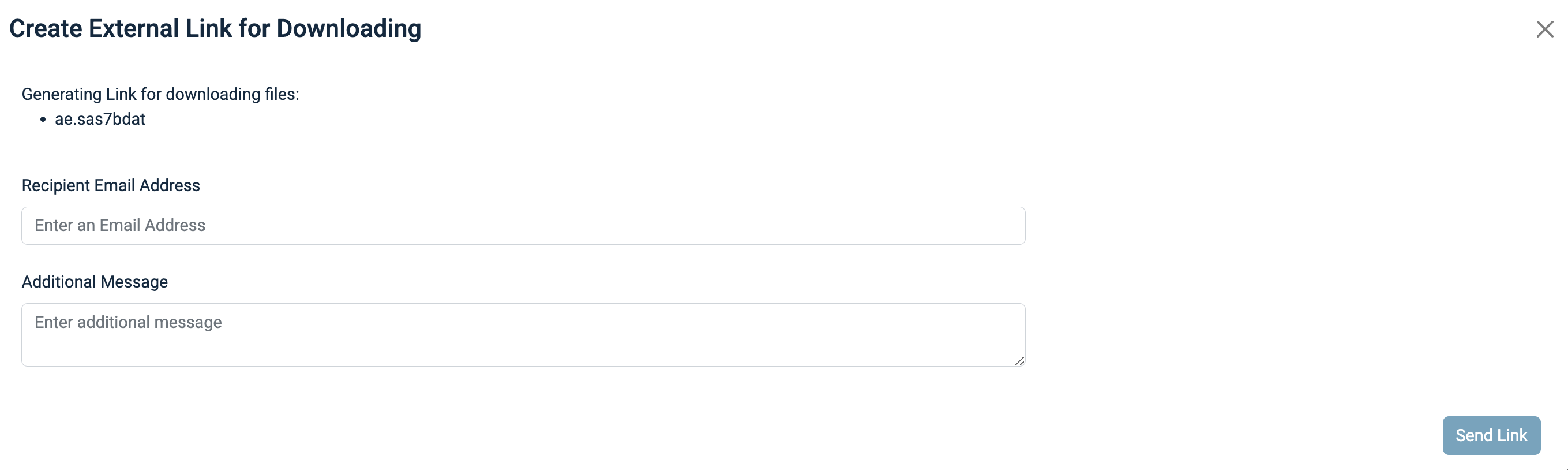
You can even provide one-time-download access to people who have no regular access to PHIL:
- Select files, which should be downloaded
- Select the menu item
Create External Download LinkunderExport - Specify the recipient and add a message if required and send the link
- A link will be sent via E-Mail to download the files
Note: The external download link has an expiration date of 10 days and can only be used once!