File properties
In the file table view, select the option Properties from a file's context menu, which is available for any single file (not for folders).
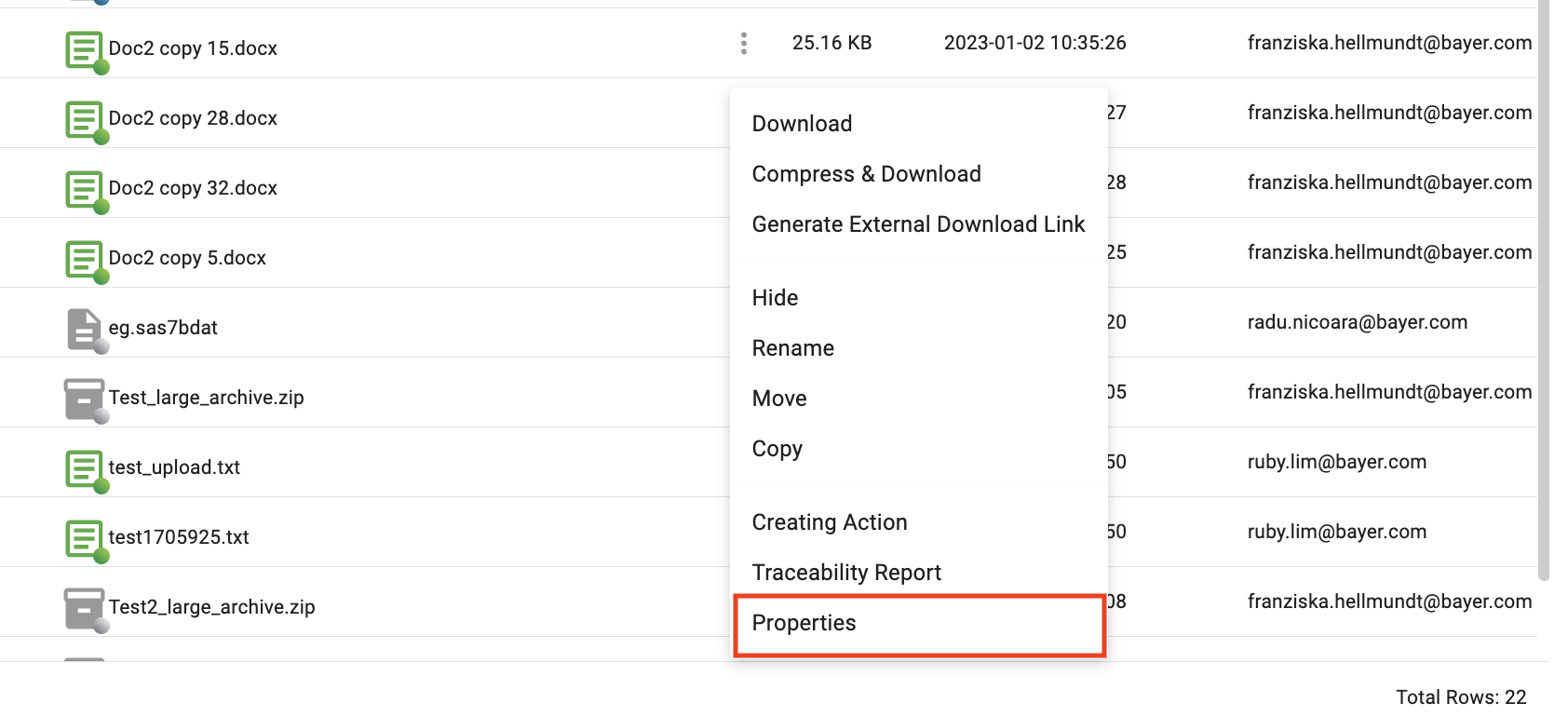
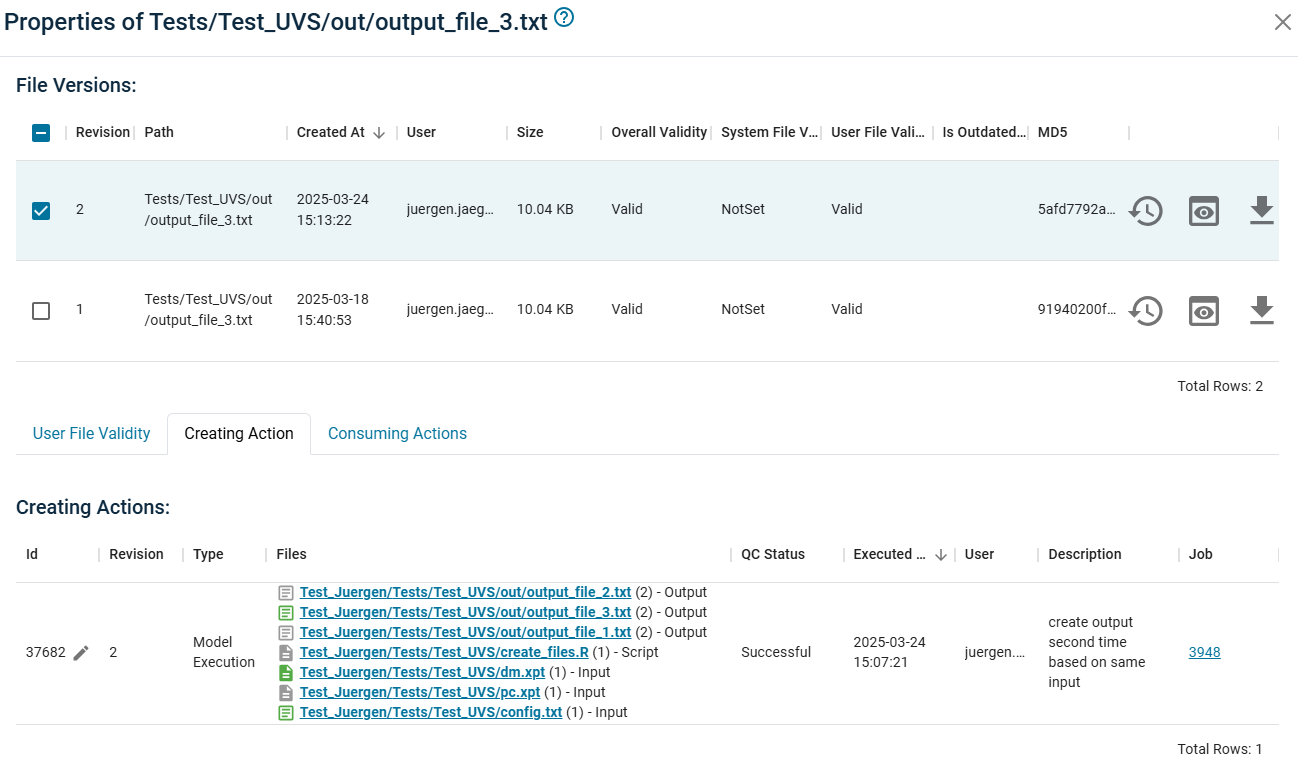
The Properties pop-up window allows you to follow the overall lineage of a single file and displays
- the overview of all file versions
- Tab
User Validityfor exceptional overriding the 'System File Validity' (see Editing User Validity) - Tab
Creating Actionwith the action which had produced this file version (Note: every file can only have 1 creating action) - Tab
Consuming Actionswith all actions which used this file version as input.
File versioning
On the top of the properties dialog, you can see all versions of the selected file. This view allows you to select one version and follow the creating and consuming actions for this specific version. (Revision numbers also displayed in brackets behind the filename in other views).
Note: The revision number is related to the path version. 'path + revision number' is a unique identifier for an object.
Renaming or moving a file does not break the versioning, but the revision number starts from 1 for a new file path.
Navigation through data flow
In the corresponding tabs Creating Action and Consuming Actions, all input and output files are links. These links guide you to the properties dialog of the corresponding file. This functionality allows navigating backwards and forwards.
This is particularly important when tracing of the QC status of all upstream actions in order to create a valid file.
To do this you can inspect the Quality Control Status of the Creating Action of a file and then iteratively navigate to its input files, inspecting their User Validity and the Quality Control Status of the their Creating Actions and so forth.
Alternatively you can open the Traceability Report in the file's context menu. (See Traceability Report)