Receive Access
PHIL differentiates between Bayer internal and external users. Access rights are provided in different ways for the two user groups. Additionally, external users have limited PHIL functionality.
1. Internal user
Bayer employees can request access to PHIL via Prima.
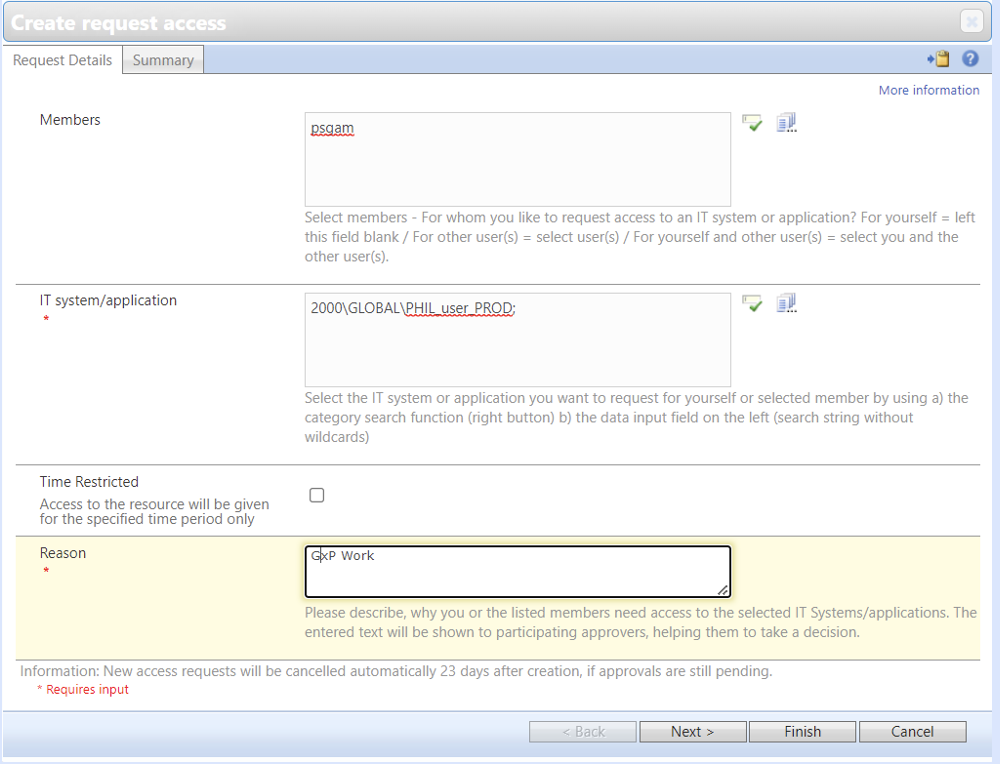
You need to access go/prima. Here, you click on Create New Access Requests on the left menu bar. Fill in the following fields:
- Members: Enter your personal CWID
- IT system/application: 2000\GLOBAL\PHIL_user_PROD
- Reason: GxP work
And select Finish to send the request. Approval will be provided by the PHIL team and PSMQ.+
Once access has been provided, you can go to pmx.int.bayer.com and log in with your corporate ID.
2. External user
External user can be added by any Bayer employee who has access to PHIL.
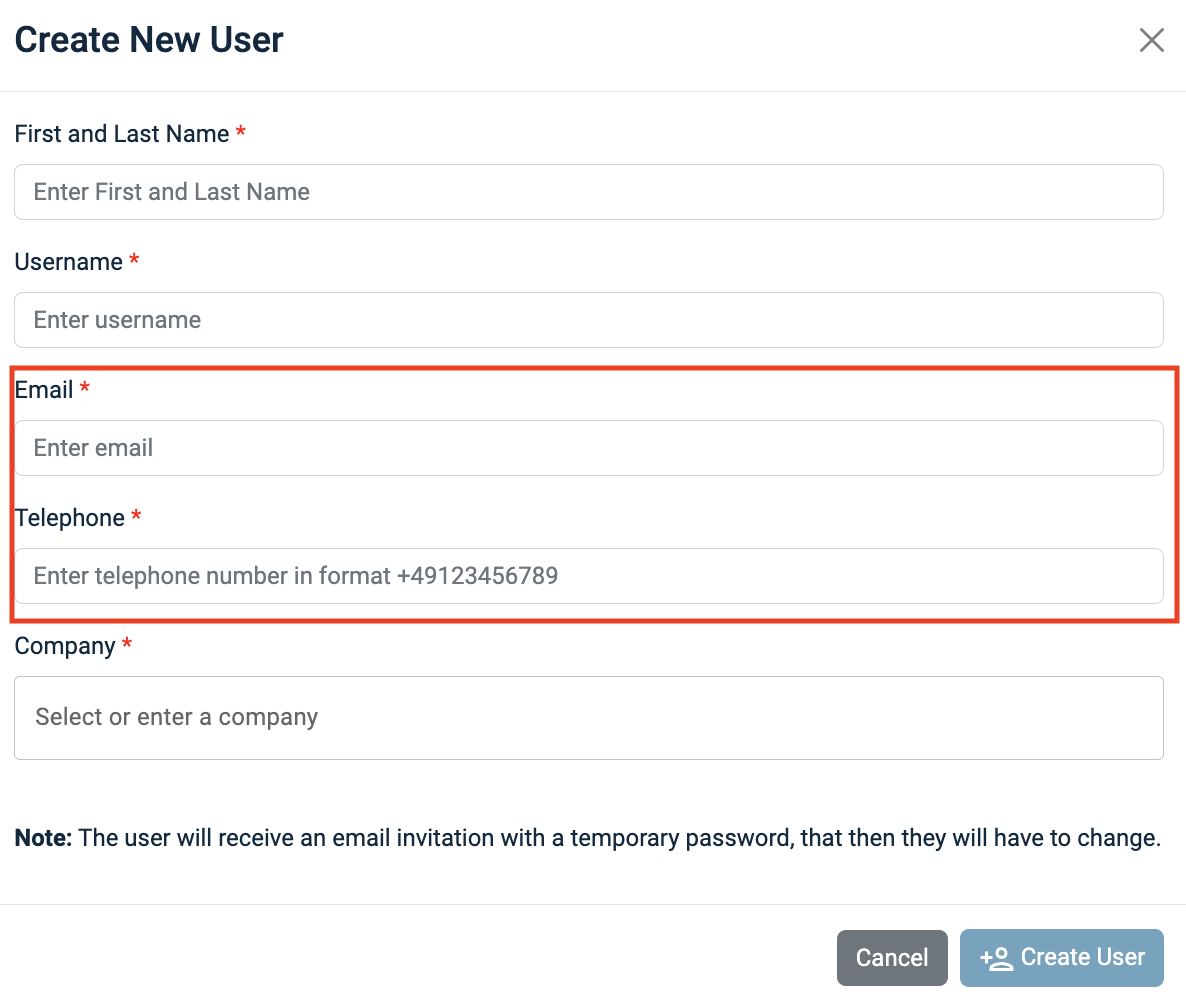
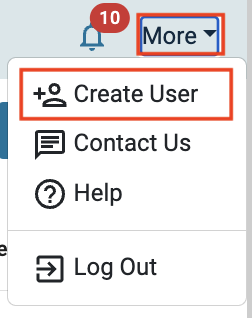
Click on More in the right corner of the top row and select the menu item Create User.
Fill in all the required fields in the pop-up window and click on Create User. The selected e-mail address will be used to send a mail to the external user with a link and a temporary password to login. The phone number is used to send a one-time code to the external user which is needed for the multifactor authentication.
NOTE: It is important to use a valid e-mail address, as well as a German mobile phone number, the user has access to.